CLINIC WORKFLOWS

Scheduling & Front Desk

A Smarter Front Desk—Built for Modern Clinics
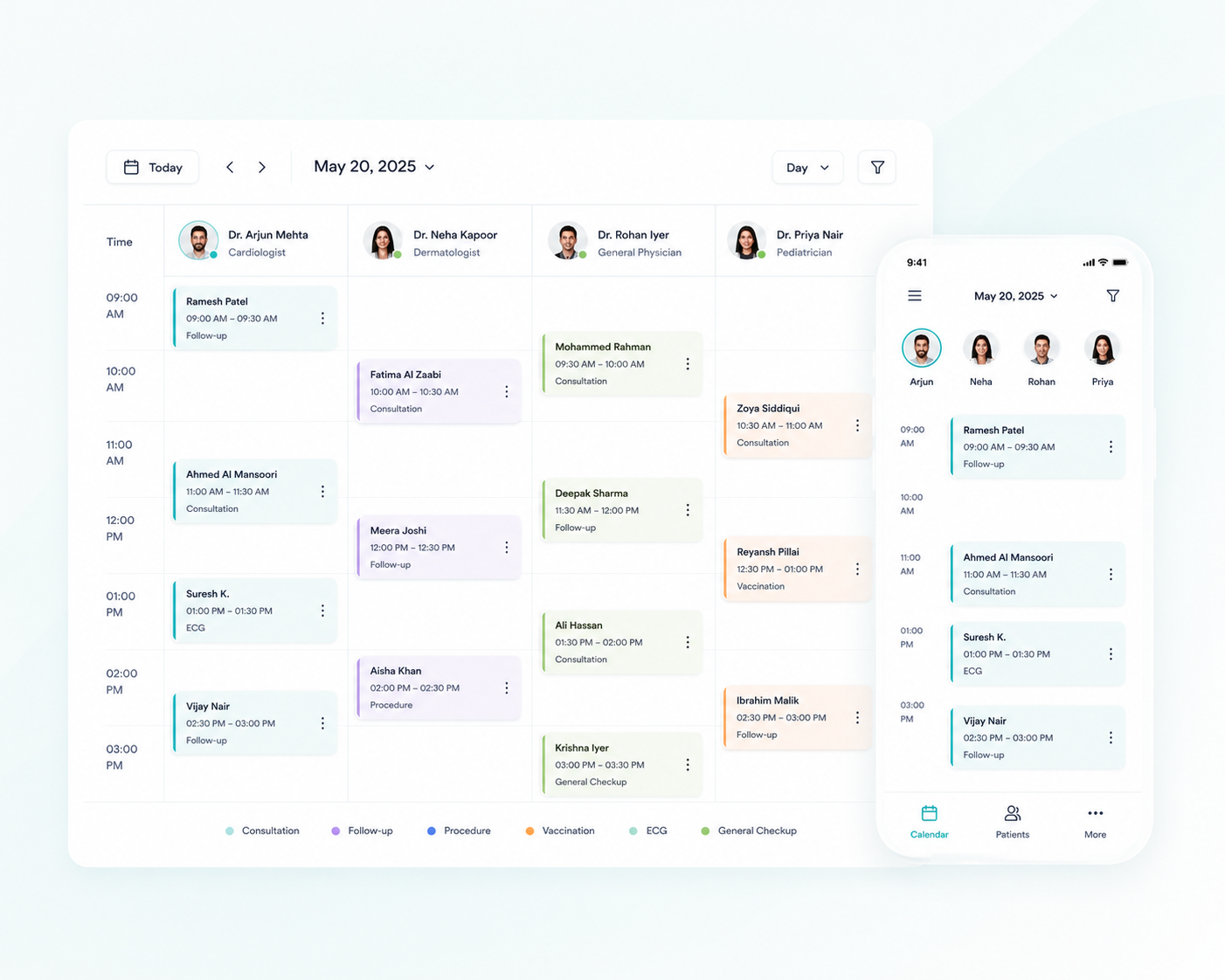
In busy clinics, the front desk is where clarity meets chaos. Hypha simplifies scheduling with a smart, visual calendar that adapts to real-time changes, provider availability, room allocation, and patient flow — so your team never misses a beat.

From drag-and-drop bookings to live queue views and rescheduling workflows, Hypha replaces manual tracking with automation and transparency. Whether you’re managing one provider or multiple doctors across rooms and time slots, everything stays organized in one place.

Because your front desk deserves software that works as hard — and as fast — as your staff.
Key features

Why Clinics Upgrade to Hypha’s Smart Scheduling Tools

Book and manage appointments across providers, services, and time slots with ease.
Get a centralized calendar view of your clinic’s daily schedule.
Monitor real-time queue status and reduce patient wait times.
Reschedule or cancel appointments with minimal disruption.
Keep patients informed automatically — no phone calls needed.

Smart Scheduling with Calendar

One calendar. Full control. Zero chaos.

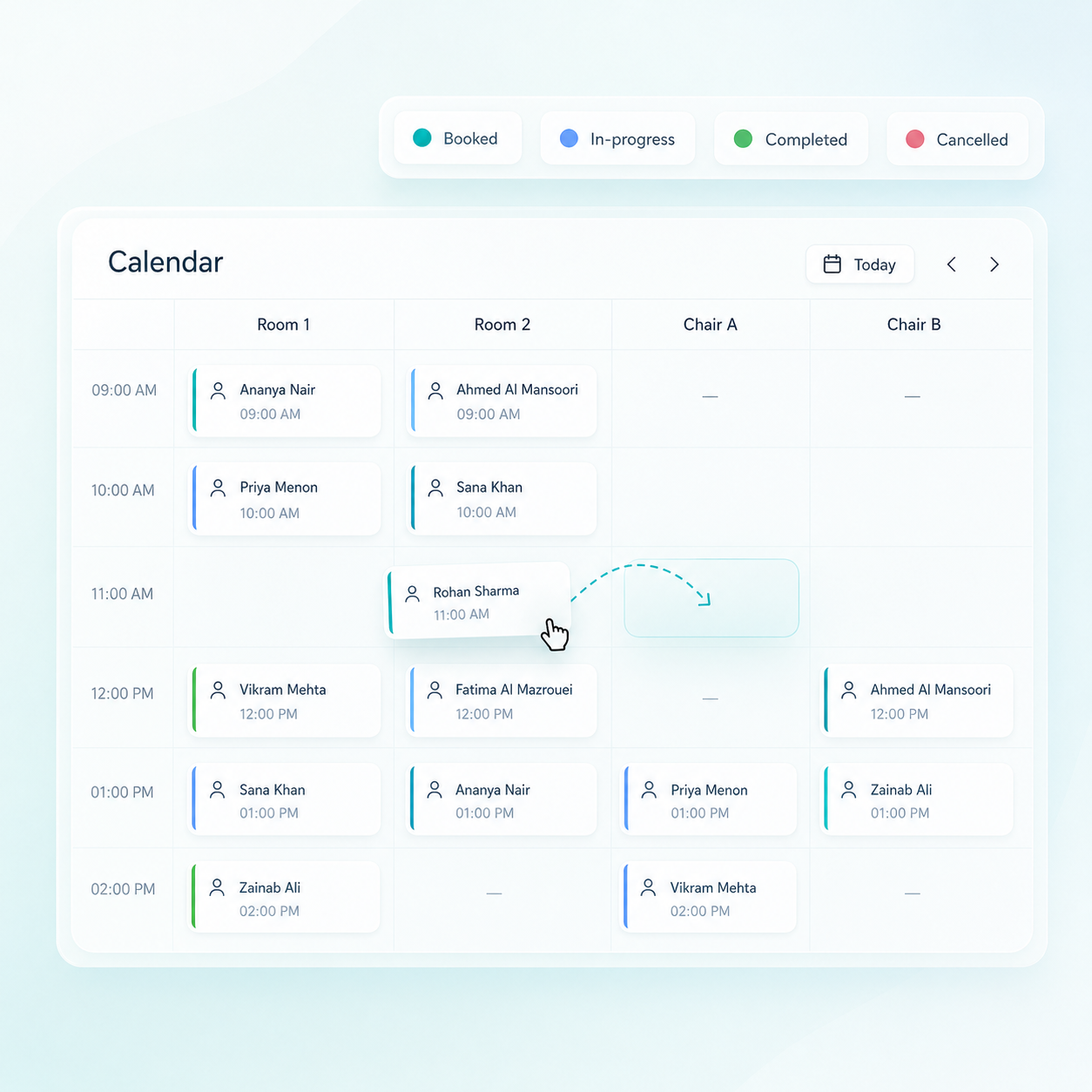
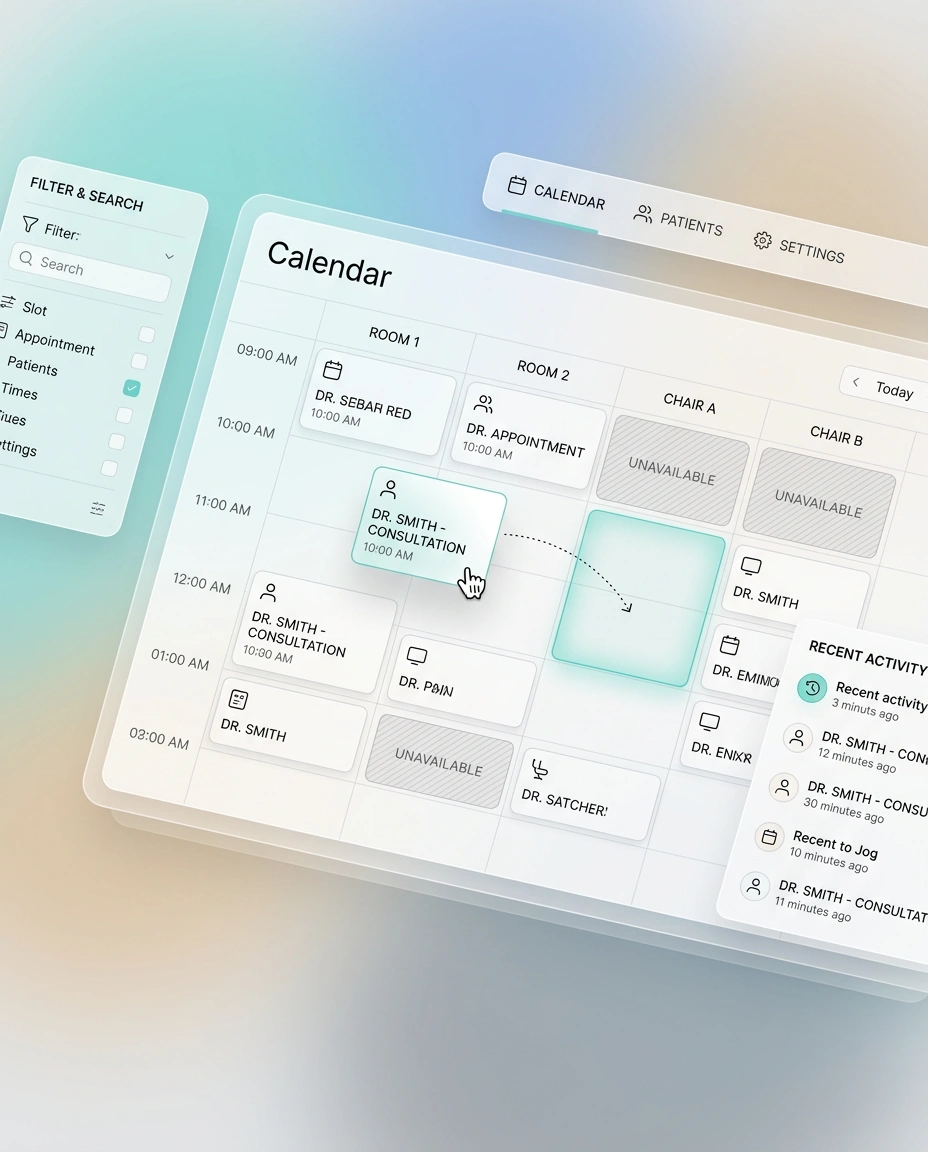
Drag and drop appointments to reschedule or adjust timing instantly

Map services, rooms, and time slots to avoid scheduling conflicts

Built-in availability checks prevent double bookings

Queue & Wait-Time Management

Organize patient flow from arrival to consultation.

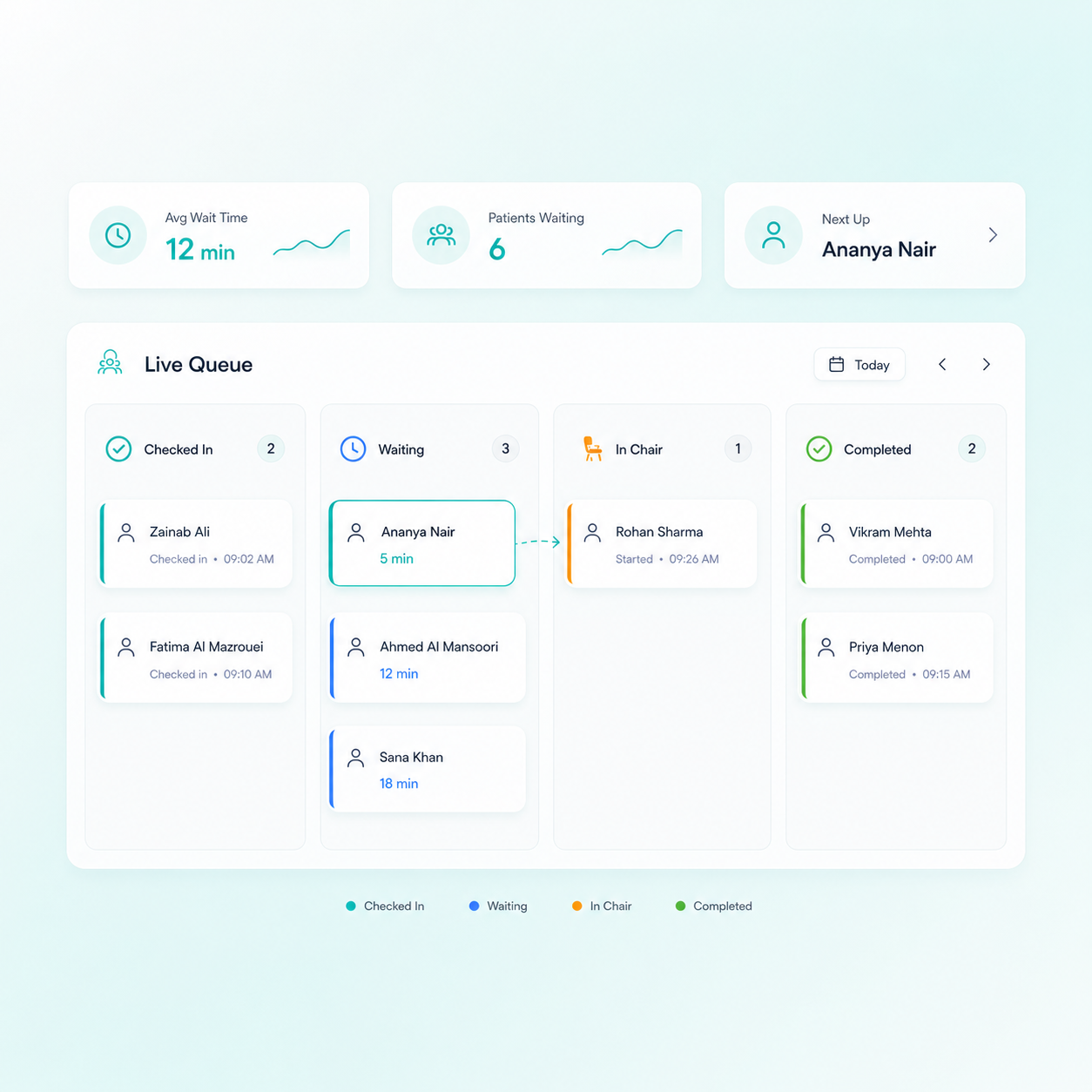
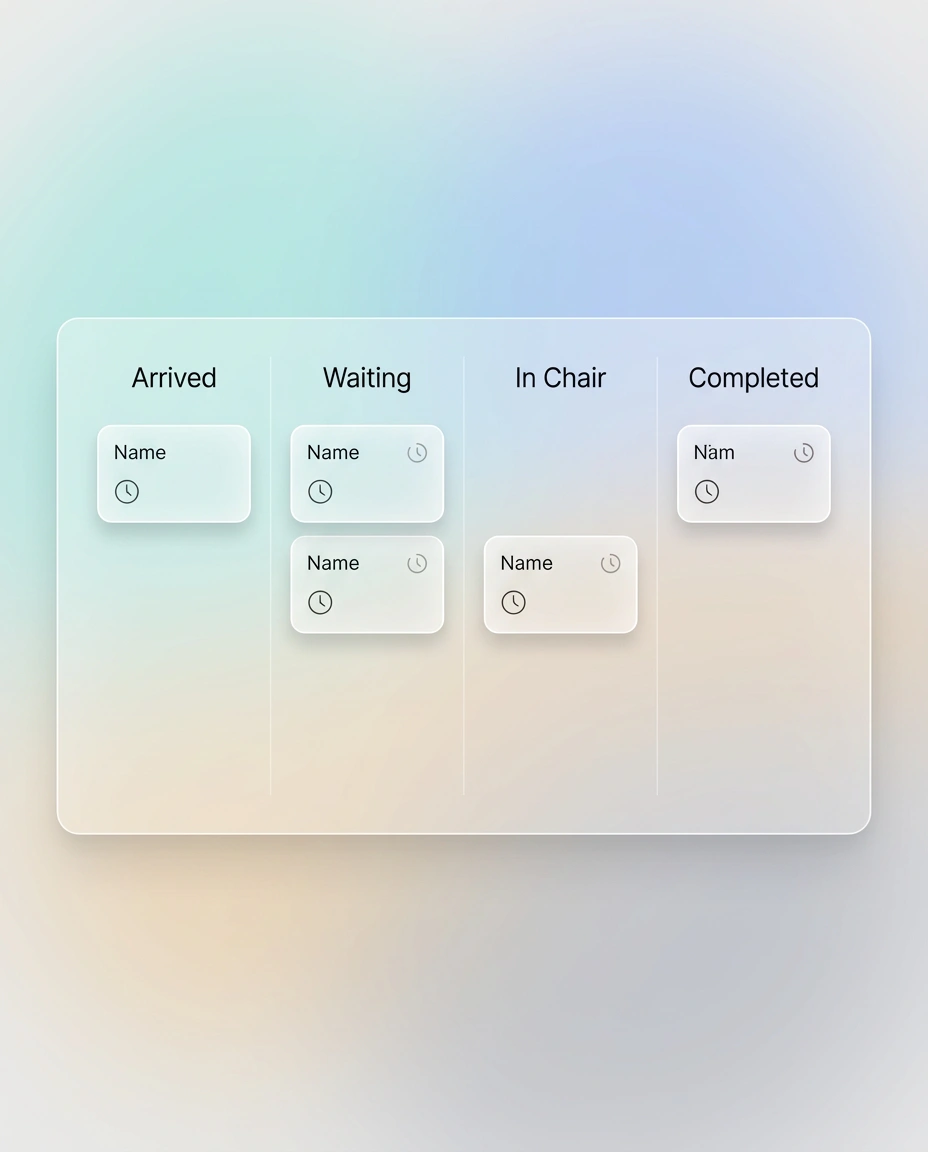
Real-time queue dashboard showing arrived, waiting, and in-chair patients

Automatic queue updates through QR check-in and appointment status

Estimated wait-time visibility helps manage patient expectations

Multi-Provider Calendar Views

One screen. Every provider. Perfect visibility.

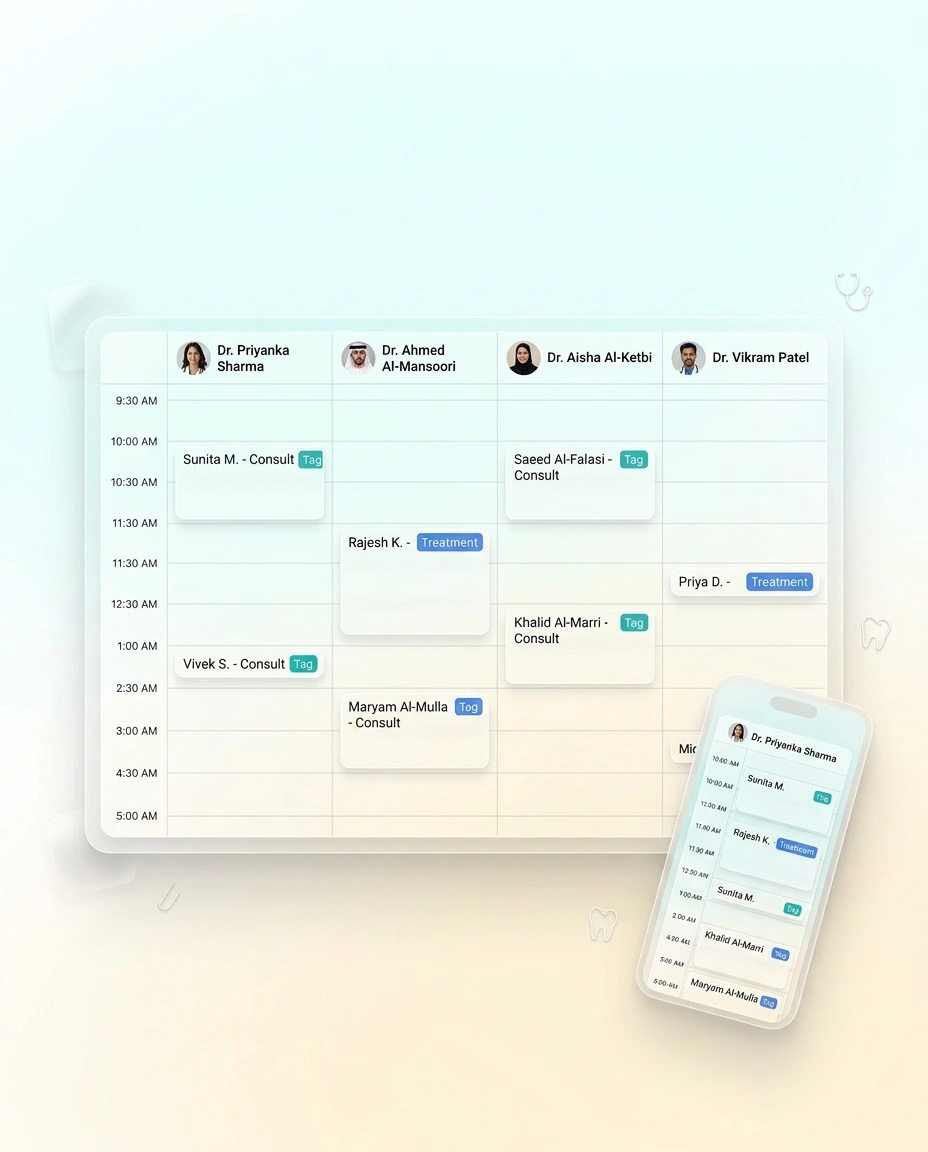
Switch between individual doctor calendars or all-provider views

Filter schedules by branch, room, or service type

Access the calendar from mobile, tablet, or desktop

Reschedule & Cancellation Workflows

Handle schedule changes smoothly — without confusion.

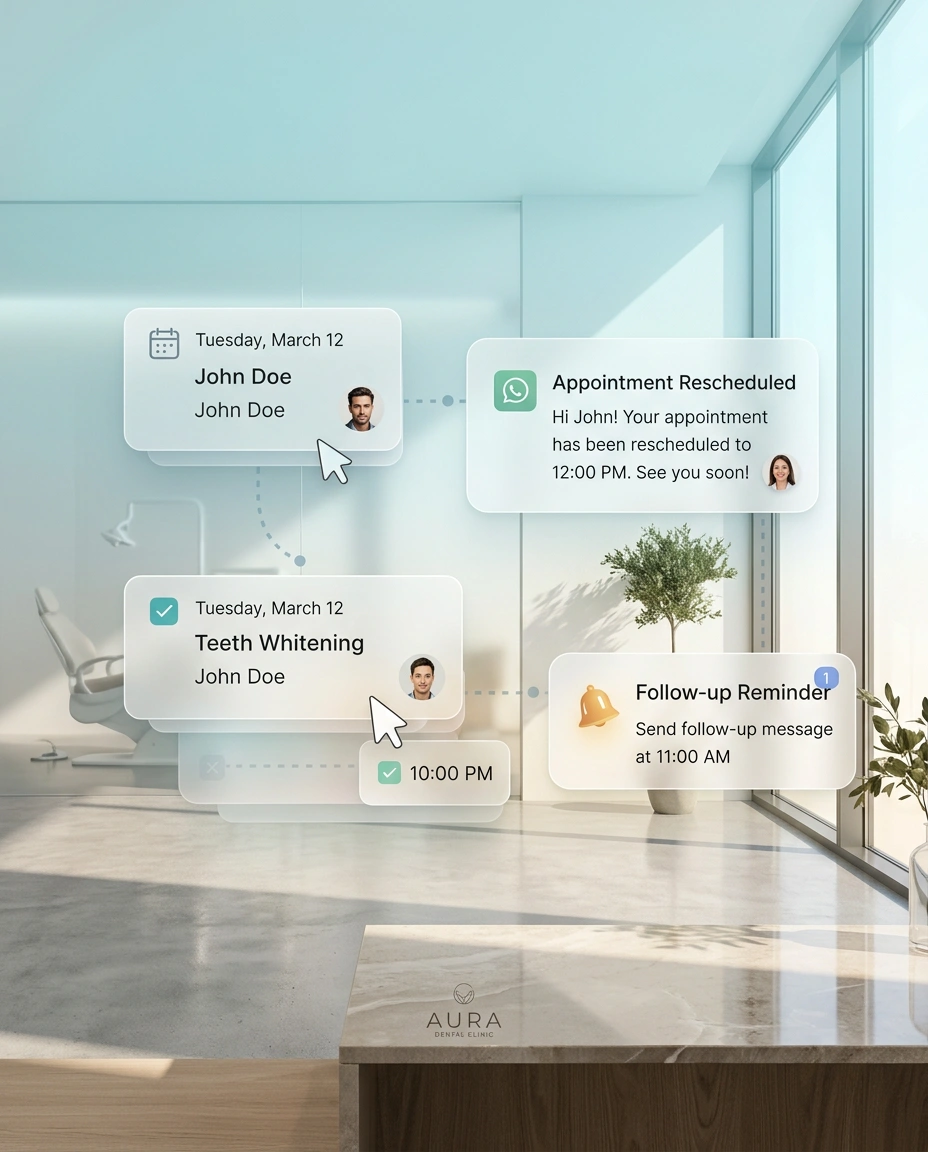
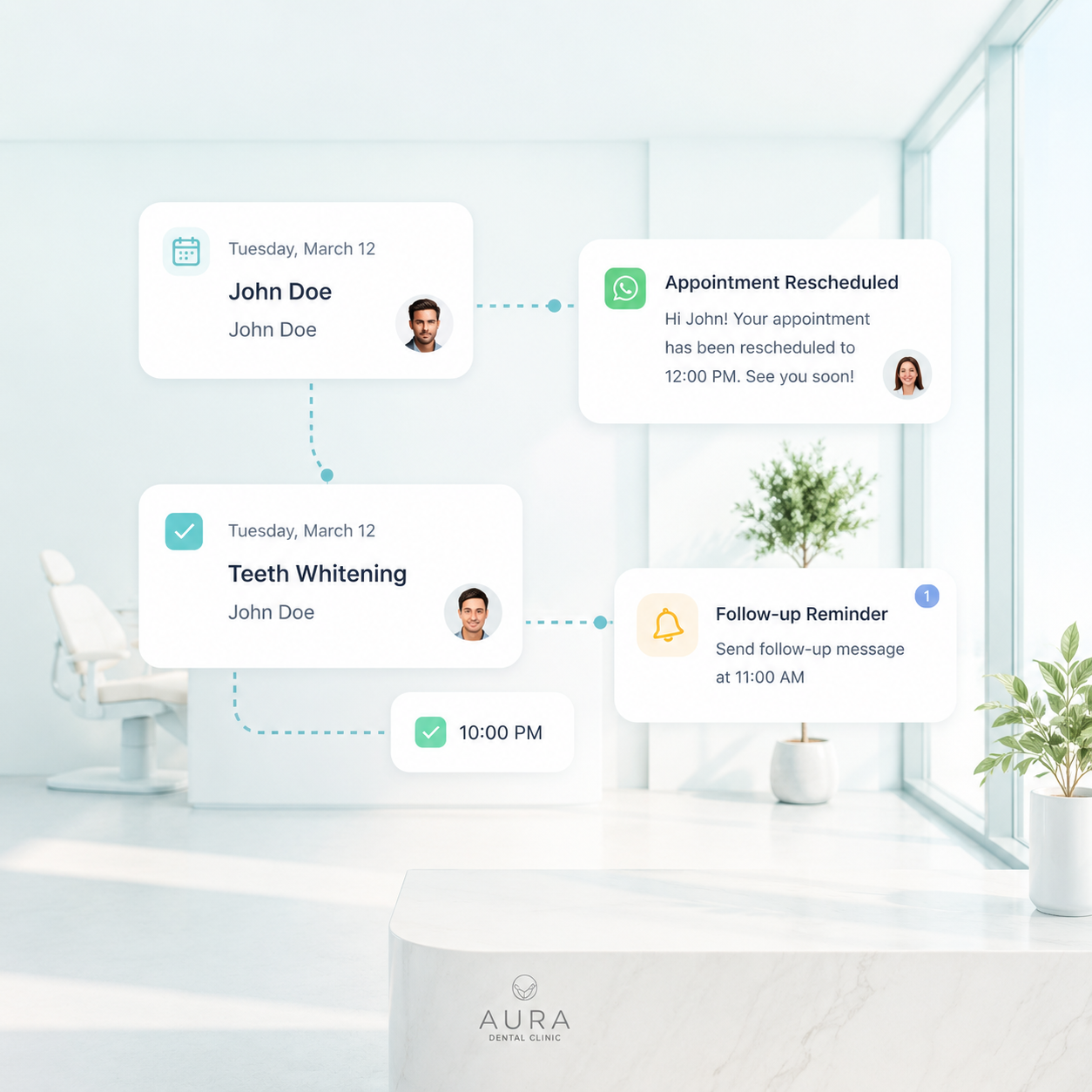
One-click rescheduling with automatic patient notifications

Track cancellation reasons to improve scheduling and reactivation

Send automatic reminders after rescheduling to reduce no-shows
Smart Scheduling with Calendar

One calendar. Full control. Zero chaos.

Drag and drop appointments to reschedule or adjust timing instantly

Map services, rooms, and time slots to avoid scheduling conflicts

Built-in availability checks prevent double bookings

Queue & Wait-Time Management

Organize patient flow from arrival to consultation.

Real-time queue dashboard showing arrived, waiting, and in-chair patients

Automatic queue updates through QR check-in and appointment status

Estimated wait-time visibility helps manage patient expectations

Multi-Provider Calendar Views

One screen. Every provider. Perfect visibility.

Switch between individual doctor calendars or all-provider views

Filter schedules by branch, room, or service type

Access the calendar from mobile, tablet, or desktop

Reschedule & Cancellation Workflows

Handle schedule changes smoothly — without confusion.

One-click rescheduling with automatic patient notifications

Track cancellation reasons to improve scheduling and reactivation

Send automatic reminders after rescheduling to reduce no-shows
Still stuck with outdated clinic software?

You don’t have to settle for tools that slow you down. Switch to Hypha and give your team a platform that’s actually built for them.

Book Free Demo
FAQ

Most asked questions

Can we view all providers’ schedules at once?
Yes. The calendar can show multi-doctor, multi-chair, and multi-branch schedules in one unified view.
How does queue management work during peak hours?
Patients are auto-added to a smart queue with status updates like waiting, in-chair, or completed—helping your front desk manage traffic better.
Can staff reschedule or cancel appointments easily?
Yes. Drag-and-drop rescheduling, cancellation with reason tracking, and automated patient notifications are all built-in.